Stop Re-Explaining Yourself — Package It as a Skill
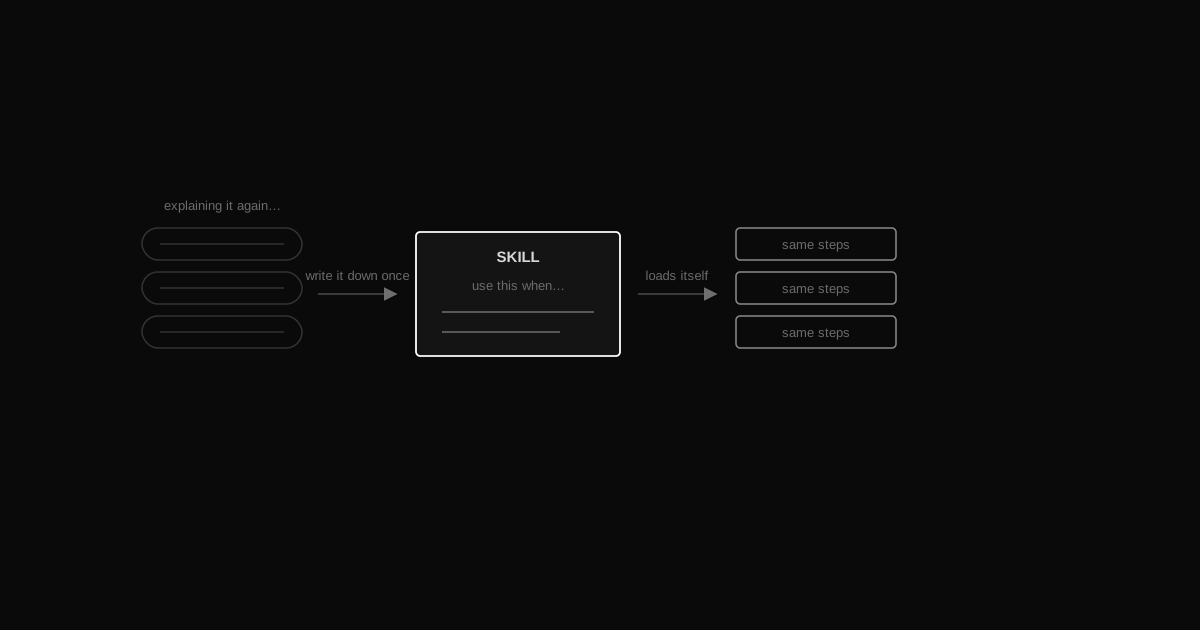
TL;DRIf you've explained the same multi-step task to your AI more than once, write it down as a skill: a name, a 'use this when…' trigger, and the steps. Your AI loads it automatically when the task comes up — same steps, same order, every time. No more re-typing, no more skipped steps.
…
How is a skill different from just writing a good prompt?
A prompt is something you retype every time. A skill is saved once, named, and loaded automatically when your AI recognizes the task — you stop retyping it at all.
How is a skill different from a rule (episode 04)?
Rules are always-on — they shape how your AI behaves in general, every session. Skills are on-demand — they only load when a specific task comes up, and they carry the steps for that one job.
Do I need special software to make one?
No. A skill is just a text file with a name, a trigger, and steps. If your AI tool supports loading named skill files, you're set — if not, you can paste the same file as a prompt and get the same result, just manually.
What makes a good first skill to write?
Anything you've explained more than once: a checklist you run before every release, a way you always want copy reviewed, a format you always export files in. If you're repeating instructions, that's the signal.
You'll know you need a skill the moment it happens: you're typing the same five-step instructions into your AI for the third time this month. Same checklist, same order, slightly different words each time — and every time, there's a chance you forget a step or your AI does it slightly differently. The fix is simple: write the steps down once, give them a name, and let your AI load them whenever the task comes up again. That's a skill.
What is a skill, really?
A skill is a named, packaged workflow — a short file that says "when you see this kind of task, do these steps, in this order." Instead of you re-explaining a process every time, your AI recognizes the task and pulls up the instructions itself. You stop being the one who remembers the process. The file does.
Think of it like a checklist taped to the wall for a task your team does often — except your AI reads it and follows it without you having to hand it over each time.
When should you make one?
Any time you notice yourself repeating multi-step instructions — especially where getting the order or the details right actually matters. A few examples:
A review checklist you run over every piece of writing before it goes out (structure, tone, one clear call to action, no typos).
A release sequence you follow before shipping anything (run tests, check the changelog, tag the version, write the summary).
A formatting job you do the same way every time (turn raw notes into a specific document shape).
If it's a one-off, just ask normally — you don't need a skill for something you'll never do again. If it's the third time you've typed the same steps, it's time to write it down.
The shape of a skill
Three parts, kept short:
A name — what you'll call it, so your AI (and you) can refer to it.
A trigger — "use this when…" — the situation that should call it up.
The steps — the actual checklist or sequence, in order.
Here's a small, generic example — a "review-my-copy" skill anyone could write:
Skill: review-my-copyUse this when: I ask you to review a piece of writing before I publish it (a post, an email, a product description).Steps:1. Check it opens with the point, not a wind-up — answer first.2. Check every paragraph earns its place — cut anything that repeats an earlier point.3. Check there's exactly one clear call to action, and it's obvious what happens if the reader takes it.4. Flag any sentence a reader would have to re-read to understand.5. List the fixes as a short bullet list — don't rewrite the whole thing unless I ask you to.
Save that as a file your AI can load (most AI coding tools let you register skill files this way — check your tool's docs for the exact folder or command). From then on, say "review this post" and your AI runs those exact five steps, in that exact order, without you typing them again. Ask for a "prepare-a-PR" skill next — steps like "write a summary, list what changed, add a test plan, flag anything risky" — and the same thing happens for that job.
Skills vs. rules — how they work together
Episode 04 covered rules: instructions that are always on, shaping how your AI behaves in every session — your formatting preferences, your tone, your non-negotiables. Skills are different: they're on-demand. They sit quietly until a specific task shows up, then load in just for that task. Rules are the personality. Skills are the toolbox — you reach for the specific tool the job calls for, and put it back down when you're done.
Together, they mean you almost never re-explain yourself. Rules handle the "always." Skills handle the "when this specific thing comes up."
Why it's worth doing
The payoff isn't dramatic — it's just that the multi-step thing gets done right, the same way, every single time, without you standing over it. No step gets skipped because you were in a hurry. No detail drifts because you explained it slightly differently this time. You write the process once; your AI runs it correctly forever after. That's the whole trade: a few minutes now, for never having to re-explain yourself again.
How this connects to the rest of the setup
A skill is a whole workflow, so it naturally reaches for every other piece:
Its steps can read the vault and the graph for context before the work starts.
It can end with "update memory", so the workflow saves its own lessons instead of relying on you.
It can hand heavy steps to subagents and call MCP tools to do real work, not just describe it.
Your rules file decides when a skill fires, so you stop naming it yourself.
That's the shift from a piece to a system — the full setup puts it together.
 AI FROM MY POV