Write a Rules File So Your AI Stops Making the Same Mistake Twice
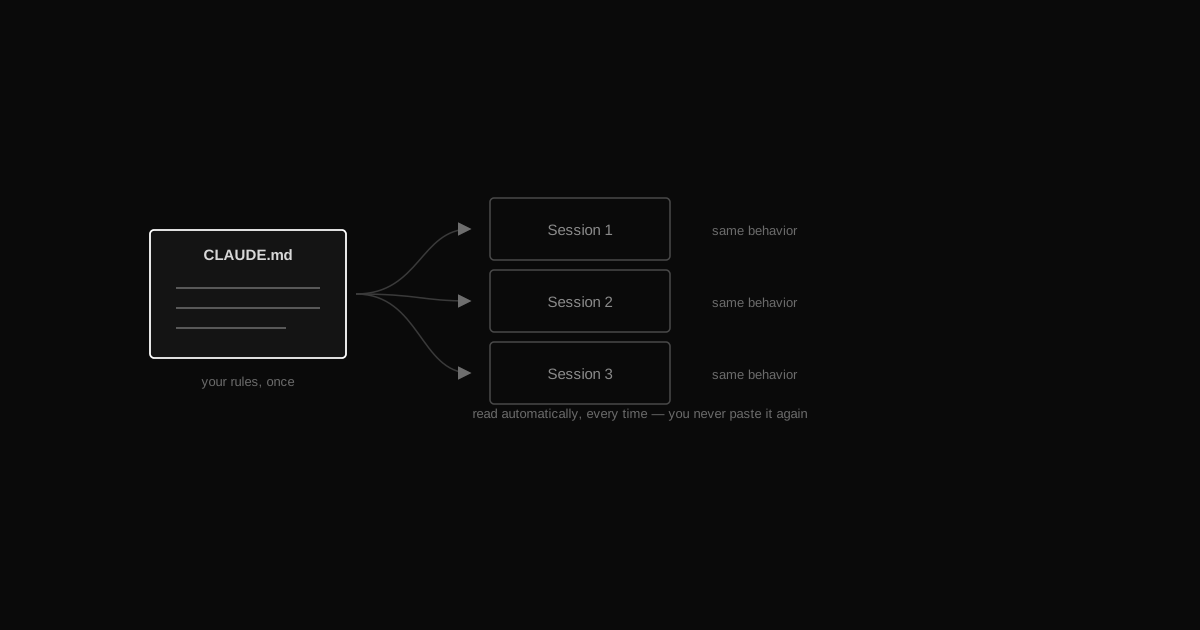
TL;DRCreate a CLAUDE.md file next to your code. Put your preferences, your coding standards, and your gotchas in it — plain text, no format to learn. Claude reads it automatically at the start of every session and follows it without being told. That's the whole trick.
…
Does this only work with Claude Code?
The file itself is universal — it's just a Markdown file with instructions. Claude Code and the Claude desktop app both read a file named CLAUDE.md automatically. Other AI coding tools use their own filename (some call it a system prompt or project instructions) but the idea is identical: write the rule once, stop repeating it.
How long should it be?
As short as it can be. Start with 5–10 rules. A rules file people actually follow beats a 200-line policy document Claude only half-reads. Add a line only after you've repeated yourself twice.
Won't a huge rules file slow every session down?
It loads once at the start and costs a small amount of context — that's the trade. Keep it tight and specific instead of dumping every opinion you've ever had, and it stays cheap for what it saves you in repeated corrections.
What's the difference between this and the memory vault from episode 03?
The vault (episode 01–03) is what Claude *remembers* — facts, decisions, lessons from past sessions. The rules file is what Claude *always does* — standing instructions it follows without you asking. Memory is the input; rules are the behavior. The best setup has both, and often a rules file even points at your memory system so Claude knows to check it.
You've told your AI the same thing five times this week. "Run the tests before you say it's done." "Don't use any." "Always double-check the env vars before deploying." Every session, you type it again — because the AI has no memory of yesterday's correction. A rules file fixes this in one shot: write the instruction once, in a plain text file, and Claude reads it automatically at the start of every session from then on. No re-explaining, no babysitting.
What actually is a rules file?
It's just a Markdown file — plain text, no special syntax — named CLAUDE.md, sitting in your project folder (or a global one for every project). Claude Code and the Claude desktop app look for it automatically and load it into context before doing anything else. You don't attach it, you don't paste it, you don't remind Claude it exists. It's just... there, every time, shaping how Claude behaves.
Think of it as the difference between briefing a new hire from scratch every morning versus handing them a one-page onboarding doc once. The doc is the rules file.
What do you actually put in it?
Four categories cover almost everything:
Who you are and what you prefer — your stack, your experience level, how verbose you want answers, tone.
Coding standards — language, formatting, patterns you want followed or avoided.
Workflow rules — how Claude should operate: when to ask before acting, when to run tests, how to handle commits.
Gotchas and lessons — the ones that matter most. Every time something breaks or Claude does the wrong thing, that's a rule waiting to be written. This is also where the memory habit from episode 03 pays off directly: a lesson you saved once becomes a rule Claude enforces automatically, instead of a note it might never re-read.
Specific beats vague — always
This is the one thing that separates a rules file that works from one that gets ignored. "Write good code" means nothing to an AI — it has no way to check itself against it. "Run the tests before saying you're done" is a rule Claude can actually follow and you can actually verify.
Vague rules get skimmed and forgotten. Specific, checkable rules get followed, because there's a clear action attached to each one.
Here's a small, generic example — not a real one, just the shape:
# My rules## Who I amI'm a solo developer building a Next.js + Postgres app.Keep answers short — I know the basics, skip the intro.## Coding standards- TypeScript everywhere, no `any`.- Match the existing file's style before introducing a new pattern.## Workflow- Run the tests before saying a task is done.- Never commit directly to `main` — always a branch, always ask first.## Gotchas (lessons learned)- Always double-check env vars before deploying — I've shipped with a missing key twice.- Never delete a database column in the same change that stops using it. Wait one release, then remove it.
Eight lines, every one of them checkable. That's the whole pattern — copy the shape, fill it with your own preferences and your own scars.
Global rules vs per-project rules
You'll end up with two layers, and it's worth knowing the difference on day one:
Global rules (one file, applies to every project) — your identity, your general standards, workflow habits you want everywhere. Set once, forget it.
Per-project rules (a CLAUDE.md inside that specific repo) — this project's stack, its quirks, decisions specific to it. Claude Code reads both and layers the project file on top of your global one.
Start global. Add a per-project file the first time a project needs a rule that doesn't belong everywhere else — a specific framework quirk, a naming convention only that codebase uses.
Why this is worth five minutes
Every correction you give an AI without writing it down, you'll give again next week. A rules file turns that one-time correction into a permanent standard — Claude just follows it, silently, in the background, on every future task. Less babysitting, fewer repeated mistakes, and consistent behavior whether it's your first session of the day or your fiftieth. Combined with a memory system that captures lessons (episode 03) and a rules file that enforces them, your AI stops making the same mistake twice — because you never have to tell it twice.
How this connects to the rest of the setup
The rules file is the control layer — it's where every other piece gets switched on:
Point it at the vault and the graph so every session starts by reading the map instead of guessing.
Tell it to load the memory index first, which turns that loop into something automatic instead of a habit.
Name which skills to use for which job, so the right workflow fires without you asking for it.
 AI FROM MY POV